I was first introduced to Revolut in a moment of desperation. I was set to fly off to London on a Sunday night, and realised only on the same Sunday afternoon that I didn't have a multi-currency card to save on FX fees. With neither time nor prior information on my hands, I decided to apply for the first 2 cards I could think of: Singapore's favourite YouTrip, and a card that had been blazing across my YouTube ads for a while—Revolut. And what would you know? My Revolut application was instantly accepted. Within 2 minutes, I had a Revolut account and digital card in my Apple Pay ready to go.
That speed is still a big part of Revolut's appeal, but plenty has changed since. There are now 4 plans to choose from, a weekend fee that catches free-plan users off guard, and more competition than ever. In this Revolut card Singapore review, we break down the fees, exchange rates, and referral rewards so you know exactly what you're signing up for.
If you travel a few times a year and can do your currency exchanges on weekdays, the free Standard plan is hard to beat. If you exchange more than $5,000 a month, spend a lot on weekends, or want travel perks bundled in, a paid plan could make sense—just know that it locks you in for 12 months.
[ms-toc title="Revolut Card Singapore Review (2026): Fees, Exchange Rates, Plans & Referrals"]
What is the Revolut card and how does it work in Singapore?

The Revolut card is a debit card linked to your Revolut account—not a credit card. You top up your account in SGD, then either convert your money into another currency in the app ahead of time, or let Revolut convert it automatically when you tap your card overseas.
Every account comes with a free virtual card you can add to Apple Pay or Google Pay straight away, which is how I managed to go from zero to London-ready in one afternoon. The first physical card is also free, though you'll pay for delivery on the Standard plan.
You can use the card to spend in Singapore too, but you can't withdraw cash from ATMs here. It's built for overseas use, and for that it's genuinely handy.
ALSO READ: 8 Countries More Expensive for Singaporeans to Travel to in 2026—and Why
Revolut plans compared: Standard vs Premium vs Metal vs Ultra
Here's how the 4 plans stack up on the things that matter most for travel:
Paid plans also come with extras such as travel insurance, brand subscriptions, and cheaper (or free) international transfers, while Ultra throws in 5GB of global mobile data a month.
The catch is commitment. Every paid plan runs for 12 months, payable monthly or annually (Premium costs $109 if you pay for the year upfront). Under Revolut's Paid Plan Terms, leaving early means paying a break fee:
- Premium or Metal: 2 months' worth of fees if you cancel within the first 10 months.
- Ultra: 1 month's worth of fees if you cancel within the first 6 months.
Revolut card Singapore fees: what you'll actually pay
Most of Revolut's costs only kick in once you go past a limit. Here's where they hide. (Fees are accurate as of 25 Sep 2026; view Revolut's latest fee schedule for the latest.)
Currency exchange and the fair usage fee
Each plan has a monthly limit on how much you can exchange without extra fees: $5,000 on Standard and $15,000 on Premium, with no limit on Metal and Ultra. Go over it, and a fair usage fee applies to the extra amount—1% on Standard, 0.5% on Premium.
One detail that's easy to miss: this limit covers all exchanges combined, including crypto and precious metals. So if you've been dabbling in crypto on the app, you may hit the limit sooner than you'd expect.
Weekend exchange markup
This is the fee that trips up most Standard users. Any exchange made outside foreign exchange market hours—roughly Friday 5 pm to Sunday 6 pm, New York time—costs an extra 1%. That covers card payments that need an on-the-spot conversion, not just manual exchanges in the app.
Premium, Metal, and Ultra users don't pay this fee. If you're on Standard, the easy workaround is to convert what you need on a weekday before your trip.
Overseas ATM withdrawals
Standard users get up to $350 or 5 withdrawals a month (whichever comes first) free of Revolut's fees. After that, you'll pay 2% of the amount withdrawn, with a minimum of $1.49. Paid plans get higher free limits, with a 2% fee after that.
Keep in mind the ATM operator may charge its own fee on top—Revolut can't waive that.
Top-ups, cards, and delivery
Topping up by bank transfer from a Singapore bank account is free, and so is your first top-up by card. After that, card top-ups may attract a surcharge, such as 0.30% for Singapore-issued Visa debit cards and 0.51% for Singapore-issued Mastercard debit cards. Additional physical cards cost $9 each (plus delivery), and a custom-designed card costs $9.99.
How good are Revolut's exchange rates?
Revolut uses its own exchange rate, which moves constantly and is shown in the app before you convert, so you can compare it against other providers first. Within your plan's limits and during market hours, you won't pay any extra exchange fee on top of that rate.
To put that in perspective, here's roughly what $1,000 of overseas spending would cost you in fees:
Whichever card you use, always choose to pay in the local currency when a terminal overseas asks. Paying in SGD lets the merchant's bank pick the exchange rate, and it's rarely in your favour.
ALSO READ: Best Time to Book Cheap Flights: A Data-Backed Guide (2026)
Is Revolut safe to use in Singapore?
Revolut Technologies Singapore is regulated by the Monetary Authority of Singapore (MAS) as a Major Payment Institution, which means it has to meet MAS's requirements for payment service providers, including safeguarding customers' money.
What Revolut isn't is a bank. Your balance isn't covered by the Singapore Deposit Insurance Corporation (SDIC), which protects deposits of up to $100,000 per depositor at each member bank and finance company. So while Revolut is perfectly fine for travel money, it's not where you'd park your life savings.
On the security front, the app lets you freeze your card instantly, set card controls, and use biometric login.
Revolut vs YouTrip vs Wise: how they compare
Here's how Revolut's free plan measures up against 2 of its most popular rivals:
- Revolut is best for travellers who want one app for spending, transfers, and extras—and who can plan exchanges around weekdays.
- YouTrip is best for keep-it-simple travellers who want no weekend markup and the biggest free ATM allowance of the 3.
- Wise is best for people who send money overseas often and want to hold a wide range of currencies.
In the end, I kept both of the cards I applied for that Sunday. Plenty of Singaporean travellers do the same, using whichever one works out cheaper on the day.
ALSO READ: Comparing Digital Multi-Currency Accounts: Wise, YouTrip, Revolut, and More
How to get a Revolut card and earn referral rewards
Signing up for a Revolut card
- Download the Revolut app and sign up.
- Verify your identity in the app.
- Top up your account—a bank transfer from a Singapore bank account is free.
- Start using your virtual card right away via Apple Pay or Google Pay.
- Order a physical card if you want one for ATM withdrawals or places that don't take mobile payments.
If a friend already uses Revolut, it's worth asking them for their referral link before you sign up.
How the Revolut referral works
Referral campaigns are run by invitation, so you'll see an "Invite friends" option in the app when one is available to you. The reward type varies by campaign—it could be a fixed amount, a variable reward decided by a draw, or a tiered reward based on the steps your friend completes. You can earn rewards for up to 5 friends per campaign, and usually only the person inviting gets rewarded.
For a referral to count, your friend has to complete these steps before the campaign deadline:
- Sign up using your unique referral link as a brand-new Revolut customer, and verify their identity.
- Add money to their account by card, Apple Pay, Google Pay, or bank transfer (transfers from another Revolut account don't count).
- Order a physical Revolut card.
- Make a minimum number of card purchases, each above a minimum amount shown in the app.
Rewards can be withheld or taken back if your friend reverses a step—for example, by closing their account within 14 days or getting a refund on a qualifying purchase. Always check the campaign details in the app before you start inviting.
Verdict: who should get the Revolut card?
Get Revolut Standard if you travel a few times a year, spend under $5,000 a month overseas, and don't mind converting your money on a weekday before you fly. For most casual travellers, it's all you need.
Consider Premium or Metal if you travel often, spend a lot on weekends, or regularly blow past the $5,000 exchange limit. Premium removes the weekend fee and triples the exchange limit, while Metal removes the limit entirely and adds 1.5% cashback. Just be sure you'll use it for a full year before signing up.
Skip Ultra unless you'll genuinely use unlimited lounge access and the other premium perks, since the monthly fee adds up fast.
Prefer to earn rewards on your overseas spending? A multi-currency card won't earn you miles, but a credit card can. Compare the best overseas spending credit cards to see if one suits you better—or pair one with Revolut for the best of both worlds.
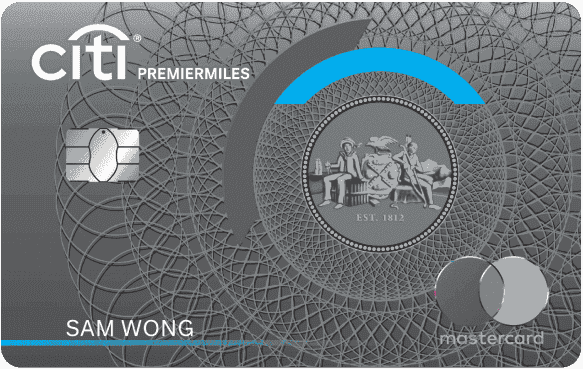
- Local Spend
- S$1 = 1.2 miles
- All Foreign Currency Spend including Retail and Online
- S$1 = Up to 2.2 miles
- Selected Online Hotel Bookings
- S$1 = Up to 10 miles
Get S$400 Cash Reward or 6,140 SmartPoints (use SmartPoints earned to redeem the latest Apple products on our Rewards Store) as quickly as 5 weeks —just spend S$500 within 30 days of card approval with your new Citibank Credit Card! T&Cs apply.

- on agoda and Expedia bookings via UOB PRVI Miles website.
- S$1 = Up to 8 miles
- on Overseas Spend
- S$1 = Up to 3 miles
- on Local Spend
- S$1 = 1.4 miles
Get guaranteed S$60 Cash - when you are a New-To-UOB customer and spend S$500 within 30 days! T&Cs apply.

Found this article useful? Share it with that friend who always remembers the travel card on the way to Changi.
Related Articles