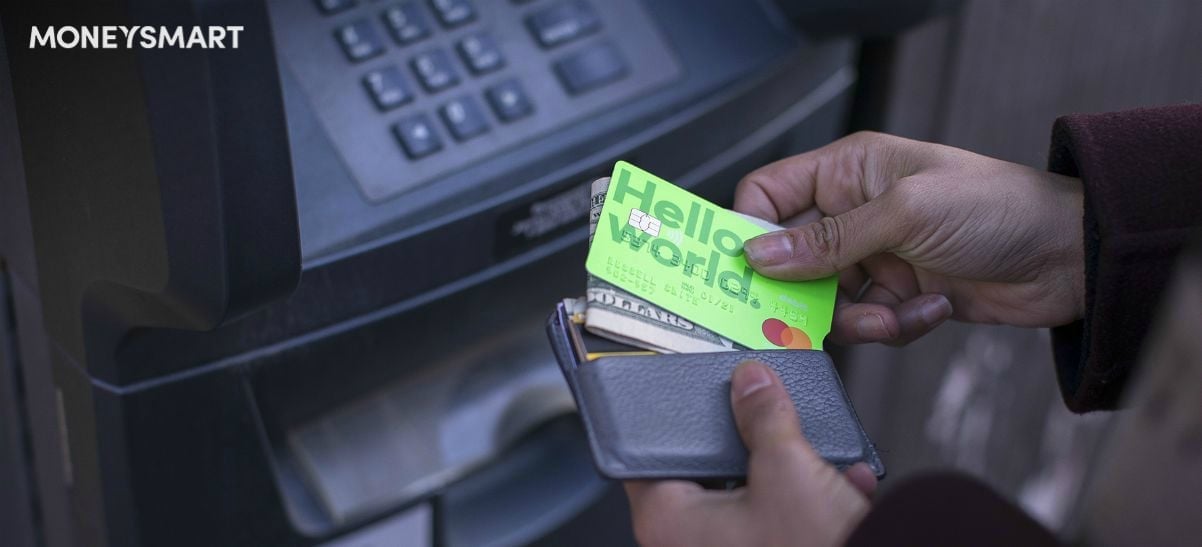
The moneychangers at Change Alley and Mustafa must be feeling the pinch, because thanks to multi-currency wallets like TransferWise, Singaporean travellers no longer need to rely on them to exchange currencies before going overseas.
So, how does TransferWise compare to its competitors?
What is TransferWise Singapore?
First of all, what is TransferWise? If you haven't already heard of them, TransferWise is primarily a multi-currency e-wallet in Singapore.
TransferWise started out as an online service enabling currency exchange and remittance of money overseas, but now, they also issue account holders with MasterCard debit cards. These cards can be used to withdraw money or make payments all over the world.
This means that before going on a trip, you can simply convert your currencies electronically. When you reach your destination, simply withdraw cash from a local ATM machine and use the card for cashless expenses.
Here are some of TransferWise’s key features:
- Multi-currency account that can hold up to 40+ currencies
- Convert currencies on the go at better rates than banks and money changers
- Send money overseas and receive money from abroad using your account
- MasterCard debit card that lets you withdraw 350 SGD from overseas ATMs every 30 days for free
Not only is it generally cheaper to use TransferWise than traditional money changers, you can even monitor rates and then swoop down and exchange your currencies when the exchange rate is most favourable to you.
Read also: Best Money Changers in Singapore — 13 Places to Go for Good Exchange Rates
TransferWise fees — up to 1% for currency conversion
There are quite a few competitors offering similar services, so naturally, the question on most users’ minds is: how much does TransferWise cost?
Well, it’s completely free to create an account, but beyond that, it is as they say — no “free lunch”. The following fees are chargeable:
Currency conversion fees: 0.35% to 1%
Adding money to your account: 0% to 0.2%
The main point at which you will incur fees is when you are converting currencies. That said, you are still likely to pay less than you would by going to a traditional money changer.
Read also: Best Credit Cards in Singapore for Overseas Spending
TransferWise vs Youtrip vs other multi-currency accounts
So, we already know it’s better to use TransferWise than a regular money-changer. But how does TransferWise compare to its main competitors YouTrip and Revolut?
TransferWise services — win
In terms of functionality, TransferWise is competitive as it offers the full suite of multi-currency account services, including remittance, currency conversion, debit card and free overseas ATM withdrawal.
TransferWise exchange rate — draw
When it comes to exchange rates, there isn’t much difference between the various platforms.
TransferWise fees — lose
TransferWise charges fees of 0.35% to 1% for currency exchange transactions. In contrast, YouTrip does not charge currency conversion fees, while Revolut only charges percentage-based fees on certain transactions, such as when currency exchanges are performed outside forex market hours or when standard customers exchange more than 9,000 SGD in a month. So, if you’re looking for the absolute cheapest platform to use, this is not it.
TransferWise for ATM withdrawals — win
Free withdrawals at ATM machines are capped at 350 SGD every 30 days. This is pretty generous compared to the competition and consistent with what Revolut is charging. YouTrip charges 5 SGD per ATM withdrawal, which for frequent travellers is a deal-breaker.
TransferWise minimum top-up requirement — win
While some multi-currency accounts require you to make a minimum top-up when you open the account, TransferWise has no minimum top-up requirement. This makes it a good choice if you just want to open an account on standby but are not sure if you intend to use it. You will, however, need to make a first currency transfer in order to have your account verified and get a debit card.
TransferWise app — draw
The TransferWise app’s interface is relatively simple and intuitive, so it’s ideal if you are using it purely for your travels and don’t want to get bogged down by useless functions. On the other hand, if you plan to use the app to manage your money and monitor currencies, you might prefer a platform like Revolut, which has more functions.
How do you get the TransferWise debit card?
Decided to go for it? Then you might want the TransferWise debit card.
To get one, first sign up for a TransferWise account on their website or through their mobile app. After making your first currency transaction using your account, you can order a debit card through the website or app.
Using TransferWise to send money (remittance)
You can use TransferWise to send money to a foreign or local bank account. This can be handy if you are studying or living overseas.
First, you’ll have to transfer the funds into your TransferWise account.
Then, you send them to your recipient’s account.
You can do so very intuitively using their website or app. You’ll be prompted to key in the amount you are adding and the currencies, and then the recipient’s bank details. Click send and that’s all there is to it.
TransferWise payment methods
The easiest way to deposit money into your TransferWise account is by internet banking.
To do that, you first set up a currency transfer on the TransferWise app or website, indicating the amount you wish to transfer.
You’ll then have to log into your internet banking account and set up a transfer between your bank and TransferWise. Once that is done, you can simply send money electronically to TransferWise via internet banking.
Overall, TransferWise is a fairly competitive multi-currency account, and is a good option for casual travellers. No matter what, you’ll probably get a better deal than at the money changer’s.
However, as mentioned, when comparing the multi-currency e-wallets specifically, TransferWise isn’t the cheapest. The currency conversion fees make it less cost-effective than other platforms which don’t charge any.
Have you used TransferWise? Share your reviews in the comments!
Related Articles